Virgin Mobile Rescue3.0
Publisher Description
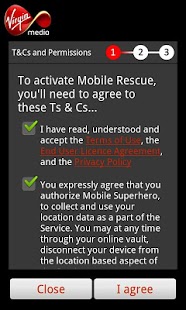
Mobile Rescue
Keep your mobile phone safe and sound
Mobile Rescue is part of your mobile insurance with Virgin Media. As soon as you activate it on your phone, you're covered against loss or theft.
With Mobile Rescue, you can...
• Back up your mobile address book and transfer your contacts to a new or replacement phone
• Lock your phone from your computer if it's missing or stolen. Once it's locked, it can't be used without you unlocking it, even if the SIM is changed.
• Track down your lost phone by setting off an alarm and checking where it is on a map.
• If your phone's lost or stolen, first lock it with Mobile Rescue and then call Virgin Media and they'll block the SIM card for you. That way, no one can put your SIM in another phone and use it to make calls.
Keywords: Mobile Security, Mobile Protection, Missing Cellphone, Antivirus, Antivirus For Android, Phone Lock, Free Security Apps, Security Lock, Security Alarm, Malware Protection, Privacy Guard, Antitheft Alarm, Find My Phone, Phone Finder, GPS Tracker, Back Up.
About Virgin Mobile Rescue
The company that develops Virgin Mobile Rescue is yougetitback. The latest version released by its developer is 3.0. This app was rated by 1 users of our site and has an average rating of 5.0.
To install Virgin Mobile Rescue on your Android device, just click the green Continue To App button above to start the installation process. The app is listed on our website since 2013-07-22 and was downloaded 297 times. We have already checked if the download link is safe, however for your own protection we recommend that you scan the downloaded app with your antivirus. Your antivirus may detect the Virgin Mobile Rescue as malware as malware if the download link to com.yougetitback.androidapplication.virgin.mobile is broken.
How to install Virgin Mobile Rescue on your Android device:
- Click on the Continue To App button on our website. This will redirect you to Google Play.
- Once the Virgin Mobile Rescue is shown in the Google Play listing of your Android device, you can start its download and installation. Tap on the Install button located below the search bar and to the right of the app icon.
- A pop-up window with the permissions required by Virgin Mobile Rescue will be shown. Click on Accept to continue the process.
- Virgin Mobile Rescue will be downloaded onto your device, displaying a progress. Once the download completes, the installation will start and you'll get a notification after the installation is finished.
Program Details
System requirements
Download information
Pricing
Version History
version 3.0
posted on 2013-07-22
version 3.0
posted on 2013-04-23
Several fixes and updates
